AI Inside Ugly Workflows: Part Two
Why AI Does Not Need To Finish The Job To Save Hours
In the previous article, I wrote about a hazardous substances register update where the actual lesson had very little to do with chemicals.
It was about workflow bottlenecks and specifically, the dead admin space around the work.
Missing SDSs. Expired supplier links. Website contact forms that went nowhere. Waiting. Following up. Sighing into the void.
Good times.
The useful part was not that AI “did the job”.
It actually didn’t.
The useful part was that an AI agent helped me find a better communication pathway quickly enough to keep the job moving. It helped reduce friction in that part of the workflow.
This week, I had another example from the same type of work.
Still hazardous substances. Still boring. Still required for compliance. Still somehow full of valuable lessons about operational systems.
This time, the bottleneck was turning messy site photos into a working list, finding current SDSs without spending half the day in questionable corners of the internet, and getting the information into a structure that could actually be reviewed.
Different flavour of pain.
Same lesson.
AI’s real value is often not doing the entire job. It is compressing the ugly administrative space around skilled work.
For small businesses, administrative drag is brutal.
The difference between spending your limited attention on judgement, or burning it clicking through broken links and renaming files until your back hurts from sitting still.
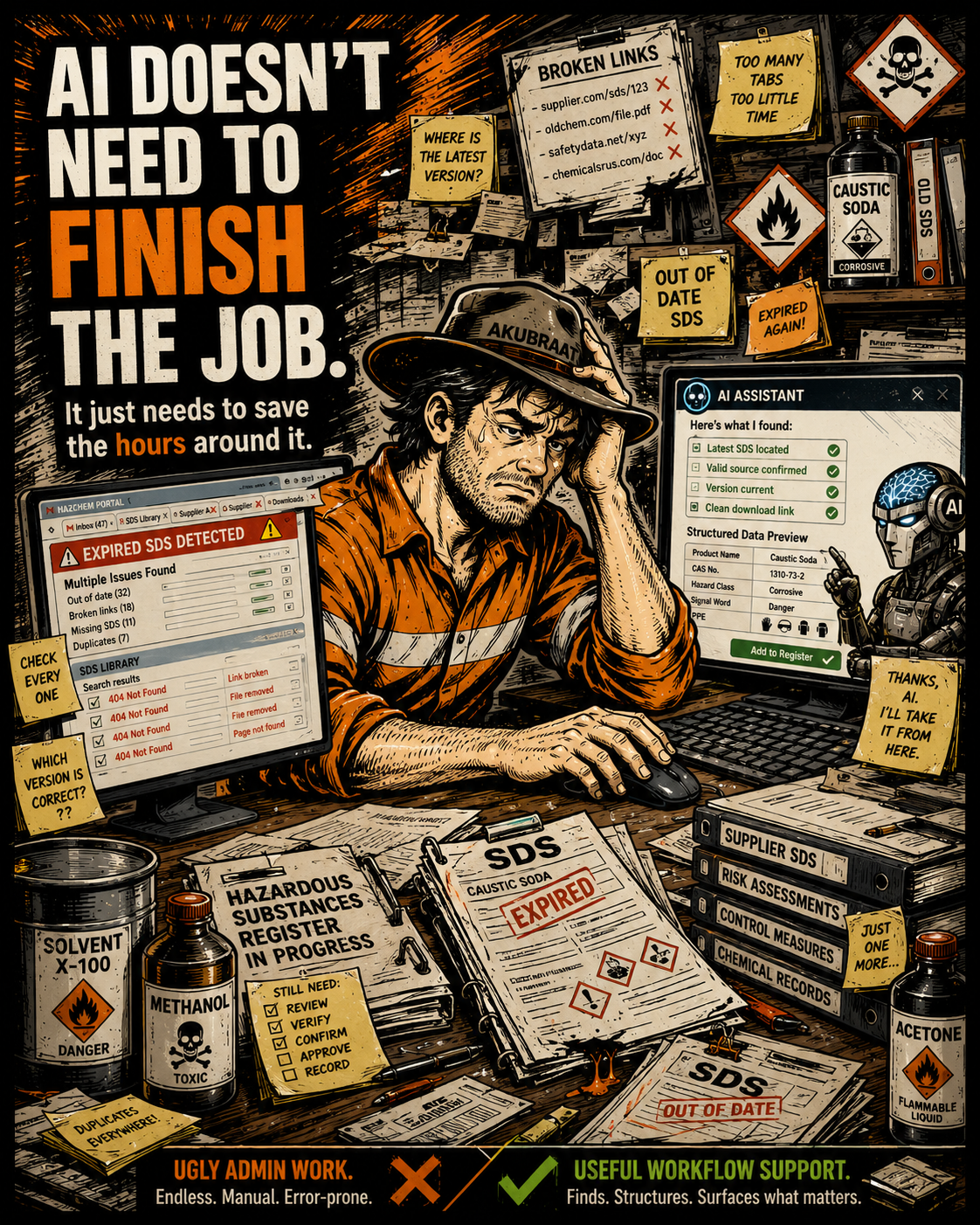
The Starting Point: Messy Inputs
I had to build a new hazardous substances register.
The raw inputs were site photos.
Photos of chemical containers, product labels, storage areas and materials supplied from site.
Simple enough in principle.
Anyone who has built one of these registers knows the workflow can become painful quickly.
You need to identify the products from photos, extract the correct chemical or product names, rename files properly, find the current Safety Data Sheets, check the SDSs are in date, avoid dodgy download sources, save and organise the documents, extract the relevant information, apply that information against the register structure, review the classifications and populate the register.
None of those steps are particularly difficult in isolation. However together, they become a classic ugly workflow.
Lots of small steps.
Lots of checking.
Lots of context switching between photos, websites, PDFs, registers, folders and source documents.
That is where the time goes. Death by a thousand of tiny administrative cuts.
Turning Photos Into A Working List
The first thing I did was upload the site photos and ask AI to extract the chemical and product names into a simple working list.
Turn messy visual inputs into a structured starting point.
That list allowed me to organise the job properly. I could rename files, align photos to products, start creating a clearer source trail, identify what I had and identify what was missing.
Small win?
Yes.
But small wins matter in ugly workflows because friction accumulates. The earlier you reduce it, the cleaner the rest of the job becomes.
Running The Painful Search Loop While I Worked
The next step is normally the painful one.
Finding current SDSs.
This can eat a ridiculous amount of time.
You search Google. You find outdated PDFs. You land on supplier pages with expired or non existent documents. You click download links that no longer work. You find third party SDS repositories that may or may not be reliable. You check the issue date. You check the product match. You download. You rename. You record.
Then you repeat the same cycle again for the next product.
And the next.
And the next.
Important note here: SDS searches can lead into some fairly questionable corners of the internet. Some websites appear to host SDSs but are really low-quality document scraping sites. Some are overloaded with fake download buttons, redirects, pop-ups or suspicious file prompts. Some look like they are using compliance document searches as bait.
That matters because when you are trying to find a very specific PDF quickly, especially for older or obscure products, it is easy to click the wrong thing and hello virus.
My solution this time, use an AI Agent.
My instruction to the agent was not simply:
“Find me SDSs.”
It was closer to:
Find current SDSs. Prioritise manufacturer, supplier or reputable distributor sources. Return links. Check that the links appear legitimate. Avoid suspicious download sites.
While the agent worked through that research loop, I kept building the register.
I was not sitting there waiting for AI to finish before doing anything else. I was progressing the structure, organising the register, reviewing product information and preparing the work at the same time.
That is one of the quiet breakthroughs of these workflows. The work can run concurrently. The agent can perform the time-consuming search task while the competent person continues the actual delivery work.
The workflow is compressing.
The First Output Failed
The agent finished and returned a neat summary. At first glance, it looked good.
Products.
Links.
Sources.
A clean-looking result.
Then I clicked the links…. Every single direct link was a 404. Page not found.
Bugger.
This is an important point because this is where a lot of people either over trust AI or dismiss it completely and neither response is particularly useful in my opinion.
The first output was not good enough. But that did not mean the workflow augmentation had failed it just meant the agent needed to be managed better.
I told it the direct links were erroring and asked it to diagnose why they were failing and attempt a second pass.
That second pass was significantly better.
It adjusted the search approach, found alternative source locations and came back with a much more usable result.
Roughly 60% of the required SDSs were found with direct download links or usable source pages.
That is not perfect.
But it is valuable, especially across 10’s of SDS’ required.
Why 60% Is Still A Strong Result
In this type of workflow, 60% is not failure it’s a very real time saving.
If there are 15 products to research and the agent finds 9 current SDSs with usable links, that could easily save an hour or more of manual searching. Depending on how poor the supplier sites are, it could save multiple hours.
And the value is not just the minutes spent searching, it is the avoided context switching.
Search.
Check.
Download.
Rename.
Verify.
Record.
Search again.
Click broken link.
Try another source.
Check issue date.
Try another search term.
This kind of work is draining because it repeatedly pulls your attention away from the actual register build.
The agent did not replace the professional review. It removed a large amount of administrative drag from the front end of the process. That is the right use case. AI does not need to complete the entire job to create value.
Sometimes it only needs to reduce the amount of rubbish you have to wade through before you can do the work properly.
Applying The Register Schema
Once source SDS documents were located, the next step was extracting information into a usable format.
Again, the goal was not blind automation. The goal is workflow augmentation.
I applied a custom register schema so the SDS data could be formatted consistently before being reviewed and transposed into the register.
This matters because AI without structure produces summaries which is no good when you need actual detail and specifics.
For example, the schema can support consistent extraction of:
Product name.
Supplier.
Issue date.
Expiry or review date.
GHS classification.
Primary hazards.
Storage requirements.
PPE considerations.
Operational risk notes.
Register comments.
Review flags.
That still requires human review and absolutely should.
You still need to check the SDS, validate the classification, confirm the product match, check the issue date and make sure the register entry is fit for purpose.
But instead of starting from a blank row and manually hunting through each PDF, you start from a structured first pass.
The Value Was Not One Big AI Moment
Across the workflow, the value was not one dramatic AI moment.
It was several smaller forms of AI augmentation stacked together.
AI helped extract product names from photos, create a clean working list, support file renaming and organisation, run SDS research while I continued working, identify usable source documents, recover from failed first-pass links, reduce manual searching, apply a register schema, format SDS information for review and support faster register population.
Each step removed a little bit of friction.
Together, that can save multiple hours.
That matters for me.
It also matters for the client.
Because every hour not wasted in dead admin loops can either reduce cost, improve turnaround, increase completeness, improve quality, or allow more time to be spent on the parts of the work that actually require professional judgement.
That is where the commercial value sits.
The client is not paying for me to manually click through broken supplier pages all day.
They are paying for a usable, accurate, current hazardous substances register.
AI assisted workflow helps get to that outcome faster.
This Matters Even More For Small Businesses
There is another point here that is easy to miss.
For small businesses, administrative drag is not just annoying.
It is a capacity constraint.
A larger business might have people who can absorb parts of the admin load.
A smaller operator does not.
The same person is often doing the technical work, the compliance work, the client communication, the admin, the follow-up and the delivery.
That means ugly workflows hit way harder.
They do not just slow the work down. They consume the limited attention of the person who matters most.
AI can help small businesses punch above their weight.
Not by removing the need for competence.
Not by magically creating expertise.
But by lowering the administrative barrier around complex work.
Clients do not really care whether you are a one person operation or a larger team.
They care whether the deliverable is correct, complete and usable.
They care whether the register is current (or actually exists right…).
They care whether the documentation holds up. Work is done as its written.
They care that the work gets done properly.
AI can help smaller businesses manage more complex workflows without immediately adding headcount.
AI Agents Still Need Supervision
This example also reinforces something important.
AI agents are not magic.
An AI agent is not an expert.
It is more like a fast junior assistant with uneven judgement and strong research capacity.
You still need to define the task clearly, check the output, test the links, challenge errors, apply context and review the final result.
But when managed properly, it can save a serious amount of time.
Workflow Compression Is The Point
The lesson is not:
“AI can build your register.”
That would be too simplistic.
The better lesson is:
AI can help restructure the workflow around the register build.
It can convert messy inputs into structured starting points. It can run painful research loops while you continue working. It can reduce administrative drag. It can recover from failed outputs when managed properly. It can apply schema to improve consistency. It can help the competent person spend more time on review, judgement and delivery.
This is the part I keep coming back to.
The most useful AI applications I am seeing are not the flashy ones or even the most technical (which I’ll cover in a future article).
They are often buried inside workflows.
The tedious loops.
The broken handoffs.
The missing information.
The poor source documents.
The repetitive checking.
The manual formatting.
The administrative drag around skilled work.
That is where AI can create real value.
But by reducing the friction around them.
Part one was about finding a better communication pathway.
Part two was about running research concurrently, recovering from failed outputs and applying schema to turn messy information into usable register data.
Together, the result was multiple hours saved across the workflow.
For a small business, that matters.
For a client, that matters.
And for anyone trying to improve operational systems, that is where AI starts becoming genuinely useful.
Want To Improve The Systems Behind The Work?
If your business is losing hours to messy documents, duplicated admin, broken workflows, unclear processes or systems that are harder to maintain than they should be, there may be a better way to structure the work.
At Papillon HSEQ Systems, I help small businesses improve the systems and workflows that sit behind their operations.
My domain expertise is HSEQ, but the real value often sits in the overlap between practical business systems, workflow design, documentation, compliance, technology and operational improvement.
This is not about adding more paperwork.
It is about making the work easier to manage, easier to maintain and easier to use.
If you would like help improving your HSEQ systems, safety documentation, registers, workflows or operational processes, get in touch!
